
The Difference Between RAM and Storage (Explained Simply)
By Darwin Lee on June 25, 2026
If you’ve ever shopped for a smartphone, laptop, or tablet, you’ve probably seen specifications like 8GB RAM and 256GB storage. While these numbers are often highlighted in advertisements, many people aren’t entirely sure what they actually mean.
RAM and storage are two of the most important parts of any device, but they serve very different purposes. Understanding the difference can help you choose the right device and avoid paying for features you may not need.
What is RAM?
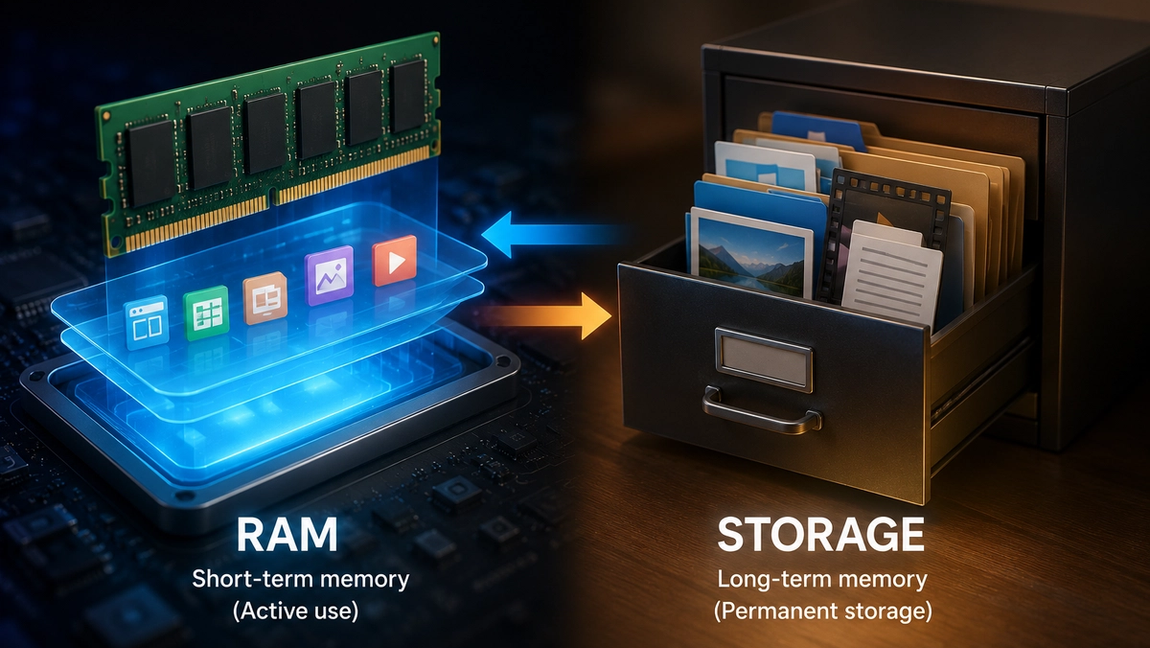
RAM, or Random Access Memory, is your device’s short-term memory. It temporarily holds information that your device is actively using so it can be accessed quickly.
Whenever you open an app, watch a video, browse the internet, or switch between tasks, the data needed for those activities is loaded into RAM. Because RAM is extremely fast, it allows your processor to access information almost instantly.
Think of RAM as a work desk. The larger the desk, the more papers, books, and tools you can keep in front of you while working. If the desk is too small, you’ll constantly need to put things away and bring them back later, slowing you down.
This is why devices with more RAM are generally better at multitasking. They can keep more apps and processes running smoothly at the same time.
What is storage?
Storage is your device’s long-term memory. It’s where all your files, photos, videos, apps, and operating system are permanently stored.
Unlike RAM, storage keeps information even when the device is turned off. Every photo you take, every app you install, and every document you save lives in storage until you choose to delete it.
Using the same office analogy, storage is the filing cabinet. It holds everything you own, while RAM is simply the workspace where you actively use those files.
Modern devices typically use fast storage technologies such as SSDs or flash storage, but even these are much slower than RAM when it comes to immediate data access.
How RAM and storage work together
RAM and storage are constantly working together behind the scenes.
When you open an app, the app is stored on your device’s storage. To run it efficiently, the operating system loads the necessary data into RAM. The processor then works with the information in RAM because it’s much faster to access.
Imagine writing a report. The document is stored in a filing cabinet, but while you’re working on it, it’s sitting on your desk. Once you’re finished, the updated version is placed back into the cabinet for safekeeping.
Every action on your device follows a similar process. Storage keeps the data, while RAM provides quick access to the data that’s currently in use.
What happens if you don’t have enough RAM?
A lack of RAM usually affects performance rather than capacity.
When RAM fills up, your device has less room to keep apps and tasks active. You may notice slower app switching, delays when opening programs, or apps reloading more frequently.
For example, if you’re browsing with many tabs open while streaming music and chatting with friends, limited RAM can make your device struggle to keep everything running smoothly.
Adding more RAM allows a device to handle more tasks simultaneously without slowing down.
What happens if you run out of storage?
Running out of storage creates a different problem.
Your device may stop allowing new app installations, software updates, photo captures, or file downloads because there simply isn’t enough space available.
Unlike RAM, which is constantly being cleared and reused, storage remains occupied until files are removed or transferred elsewhere.
This is why people often receive “Storage Almost Full” notifications after years of saving photos, videos, and downloaded content.
How much RAM and storage do you really need?
The right amount depends on how you use your device.
For casual users who browse the web, use social media, and stream videos, moderate amounts of RAM and storage are usually enough. Power users who edit videos, play demanding games, or run many applications simultaneously may benefit from higher RAM capacities.
Storage needs vary even more. Someone who primarily uses cloud services may need less local storage, while someone who records lots of videos or downloads large files may need significantly more.
It’s generally easier to add cloud storage later than it is to increase RAM, especially on smartphones and many modern laptops where RAM is built into the device.
Why both matter
Many people focus only on storage because it’s easy to understand—you can see how many photos or videos it can hold. However, RAM plays an equally important role in determining how responsive and smooth a device feels during everyday use.
A device with plenty of storage but too little RAM may feel sluggish. On the other hand, a device with lots of RAM but very limited storage may quickly run out of space for apps and files.
The best experience comes from having a healthy balance of both. RAM helps your device work efficiently in real time, while storage ensures you have enough room for everything you want to keep. Understanding the difference makes it much easier to compare devices and choose one that fits your needs.